The 60-Minute Masterplan: How to Plan an Entire Month of Content in 1 Hour
The number one reason new blogs and businesses fail in 2026 isn’t a lack of talent. It isn’t a lack of budget.
It is inconsistency.
We have all been there. You launch your website with excitement. You post every day for a week. Then, life happens. You miss a Tuesday. Then you miss a Thursday. Suddenly, three weeks have passed, your blog is silent, your Instagram is a ghost town, and the guilt sets in.
The problem is not that you are lazy. The problem is that you are trying to create content in “Real-Time.”
Waking up every morning and asking, “What should I post today?” is a recipe for burnout. It requires high creativity at 9:00 AM every single day. That is sustainable for no one.
The secret to consistent growth is Batch Planning.
In this guide, I am going to show you the exact workflow to map out 30 days of high-quality content—blogs, emails, and social posts—in just one single hour. Grab a coffee and a timer. Let’s go.
Minute 0-10: Define Your 4 “Content Buckets”
If you try to think of 30 random ideas, you will freeze. The brain needs boundaries to be creative.
Instead of random ideas, we are going to use Content Buckets (or Pillars). These are the 3-5 core topics your brand always talks about.
Example for a Web Designer:
-
Bucket A (Educational): How-to guides (e.g., “How to choose a font”).
-
Bucket B (Showcase): Portfolio pieces / Client results.
-
Bucket C (Personal/Behind the Scenes): My desk setup, my morning routine.
-
Bucket D (Sales): Promoting the service packages.
Action Step: Write down your 4 buckets.
-
Time check: 10 minutes.
Minute 10-25: The “Idea Dump” (with AI Assistance)
Now that you have your buckets, we need to fill them.
In 2026, we don’t need to stare at a blank wall. We have AI tools (like ChatGPT, Gemini, or specialized marketing tools) to help us brainstorm. But remember, AI is the sous-chef, not the head chef. You must direct it.
The Prompt Strategy: Open your AI tool and type: “I run a blog about [Your Niche]. Give me 10 unique content ideas for [Bucket A], 10 for [Bucket B], etc.”
Scan the list. Delete the generic ones. Keep the gems. Add your own human spin to them.
The Goal: You need roughly:
-
4 Major pieces (Blog posts/Videos) – One per week.
-
12 Micro pieces (Social media posts) – Three per week.
Action Step: Generate 20-30 raw headlines. Don’t judge them yet, just write them down.
-
Time check: 15 minutes.
Minute 25-35: The “Hero” Strategy (Repurposing)
This is the step that separates the pros from the exhausted amateurs.
Most beginners try to create 30 separate pieces of content. That is impossible. Smart marketers create 1 Hero Piece and slice it up.
The Workflow: Let’s say your “Hero Piece” for Week 1 is a blog post titled: “5 Ways to Secure Your WordPress Site.”
From that one blog post, you can extract:
-
Newsletter: A summary of the post sent to your email list.
-
Instagram Carousel: “5 Security Tips” (Slides 1-5).
-
Short Video (TikTok/Reel): You talking about the #1 tip from the article.
-
LinkedIn Post: A text-only post about why security matters for business.
-
Twitter Thread: 5 Tweets summarizing the points.
Suddenly, writing one blog post has given you 5 days of social media content.
Action Step: Select 4 “Hero Topics” (one for each week of the month) from your list.
-
Time check: 10 minutes.
Minute 35-50: The Calendar Slotting
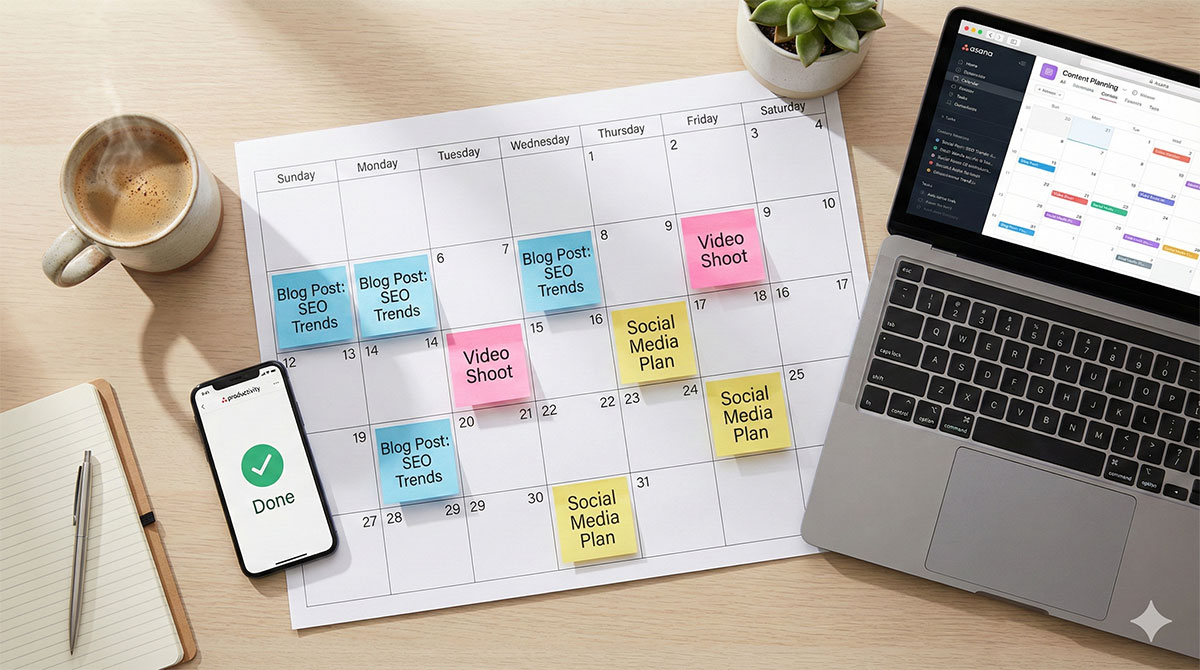
Now we move from “Ideas” to “Strategy.” You need a visual calendar. You can use Trello, Notion, Google Calendar, or even a physical piece of paper.
The “Theme Day” Technique: To make this fast, assign a theme to days of the week.
-
Monday: The Hero Post (Publish the Blog on your website).
-
Tuesday: The Education (Share the Carousel derived from the blog).
-
Wednesday: The Personal (Share a behind-the-scenes photo).
-
Thursday: The Sales (Remind people what you sell).
-
Friday: The Recap (Newsletter goes out).
Now, take your 4 Hero Topics and drop them into the Mondays. Then, fill in the rest of the week using the “slicing” method we discussed in Step 3.
Action Step: Fill in the empty boxes on your calendar.
-
Time check: 15 minutes.
Minute 50-60: The “Asset List” Review
You have a plan! But before you finish, you need to identify what assets you actually need to create so you don’t get stuck later.
Look at your calendar and make a quick shopping list of tasks:
-
I need 4 blog thumbnails.
-
I need to record 2 short videos.
-
I need to write 4 emails.
By knowing exactly what you need to create, you can schedule “Creation Blocks” later in the week. (e.g., “I will design all 4 thumbnails on Tuesday afternoon”).
Action Step: Create your task list.
-
Time check: 10 minutes.
The Technology You Need to Execute
Planning is great, but execution requires infrastructure.
-
The Hub: Your content needs a home. Don’t build your house on rented land (social media). Your “Hero Content” should always live on your own WordPress blog.
-
Recommendation: Ensure your hosting can handle the traffic. Bluechipspace offers WordPress-optimized hosting that ensures your Hero Posts load instantly when people click through from social media.
-
-
The Tools: Use tools like Canva for quick graphics and Buffer or Metricool to schedule your social posts in advance.
Conclusion: Freedom Through Structure
Congratulations. In the last hour, you went from chaos to clarity.
You now know exactly what you are posting on the 24th of the month. You don’t have to wake up and panic. You don’t have to rely on “feeling creative.”
When you have a plan, marketing stops feeling like a burden and starts feeling like a machine that works for you.
The best time to plant a tree was 20 years ago. The best time to plan your content is right now.
FAQ: Content Planning
Q: Do I really need to post every day? A: No. Consistency beats frequency. It is better to post 3 times a week every week than to post 7 times a week and then quit for a month.
Q: What if breaking news happens? A: Your calendar is a guide, not a jail. If something important happens in your industry, pause the scheduled content and post about the news. Then resume the schedule.
Q: How do I stick to the plan? A: Schedule “Creation Days.” Don’t write the post on the day it goes live. Write all your posts for the week on Sunday afternoon.